

A restaurant menu page used to be “nice to have.” Now it’s part of the dining experience. People check prices, scan for dietary needs, and decide fast. If your menu page is hard to use, we lose them before they ever step inside.
This guide is for restaurant owners using WordPress who want a clean, no-code menu page that feels modern in 2026. We’ll show the 7 features that matter most, and we’ll use Stylish Price List as a real example of what “done right” looks like.

Stylish Price List
Create Beautiful Price Lists in Minutes
A quick “menu friction” chart
When guests feel friction, they bounce. Here’s a simple way to picture it.
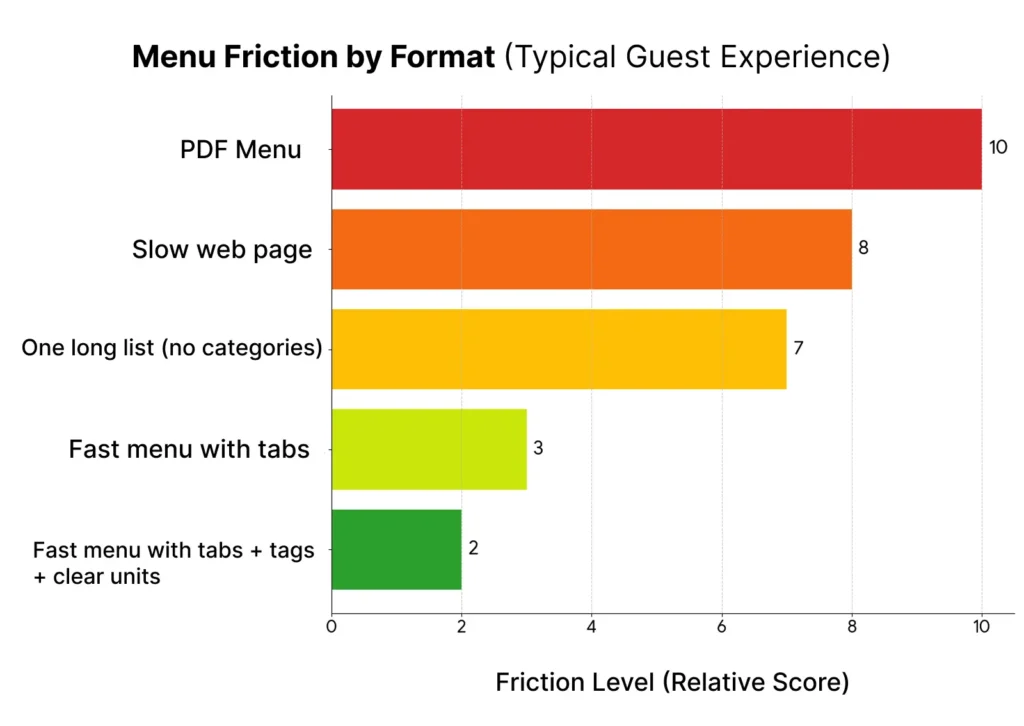
If your menu feels like the top two bars, we have easy wins.
1) Mobile-first layout that works with one hand
Most menu views happen on a phone. So your layout needs to feel thumb-friendly.
We’re aiming for readable text, clean spacing, and tap targets that don’t cause misclicks. The menu should stay stable while images load, so the page doesn’t jump around.
With Stylish Price List, we can build a menu with responsive column behavior and a layout that adapts across devices, without writing code.
2) Categories that match how guests think
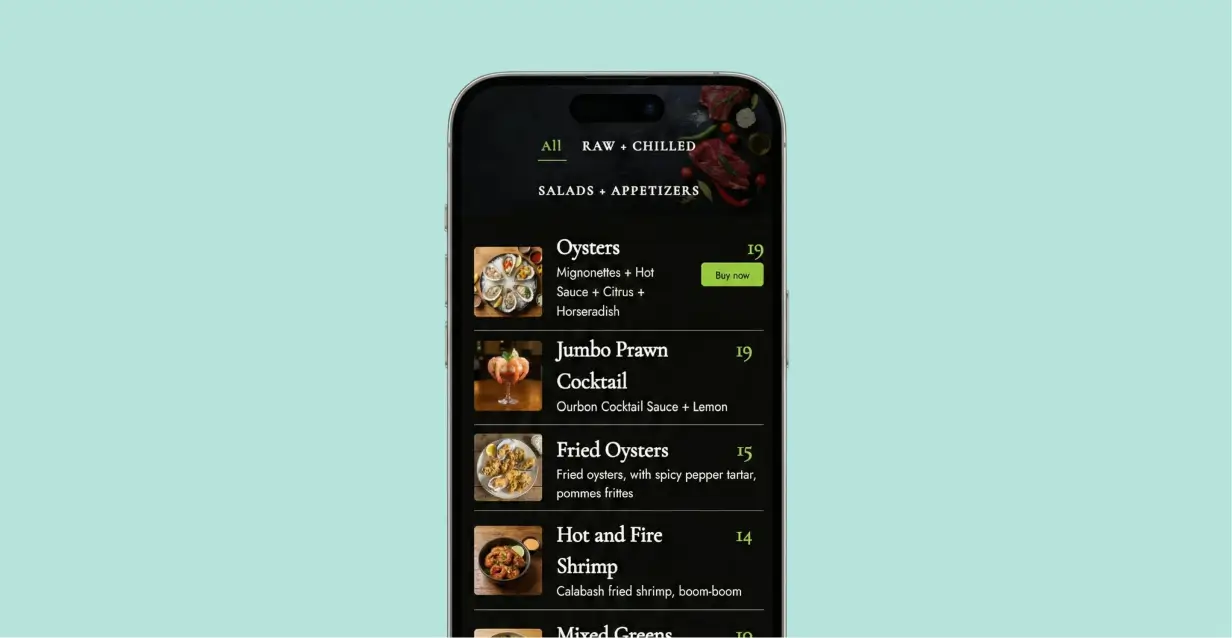
Categories turn a long menu into a simple path. They reduce overwhelm and help people find “their thing” faster.
Keep names obvious. “Starters,” “Mains,” “Dessert,” “Drinks” beats clever labels that confuse people. One clean structure beats ten fancy sections.
In Stylish Price List, category tabs and organized sections make this easy. You can also keep navigation visible with a sticky category bar, so guests don’t scroll back to the top to switch sections.
3) Search (only if your menu is big)
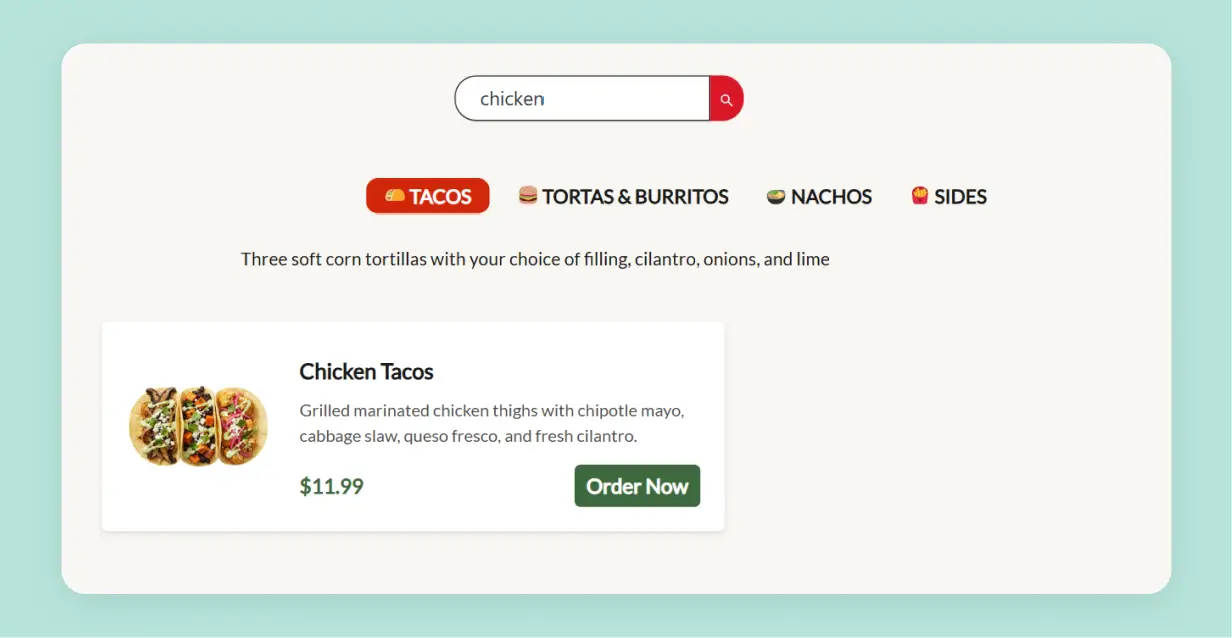
Search is a superpower when your menu is large. If you have 40+ items, it’s worth it. If your menu is small, search can feel like extra noise.
The best menu search is instant. Type “gluten” or “spicy” and results tighten right away.
With Stylish Price List, real-time search and filter-style browsing help guests find items quickly, especially when your menu changes often or has lots of choices.
Modern Digital Menus for Your Restaurant
Professional menus ready in minutes. Update dishes and prices instantly.
4) Allergen and diet tags people can trust
In 2026, dietary info is not optional. It’s often the deciding factor.
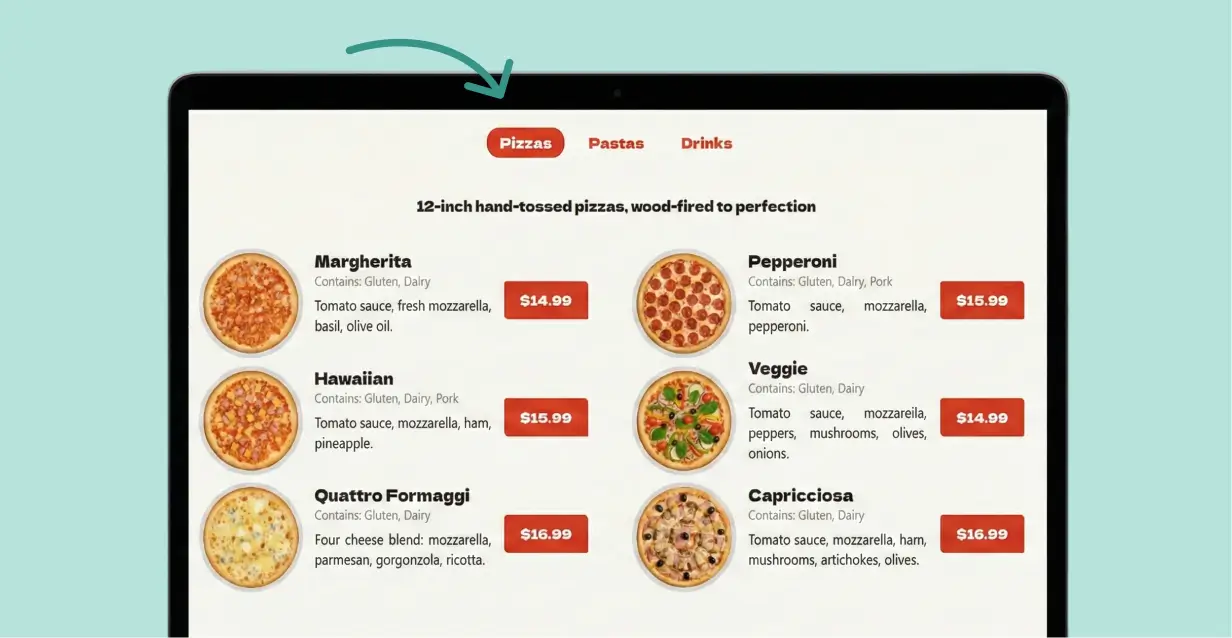
We recommend keeping tags simple and accurate. Vegan, vegetarian, gluten-free, dairy-free, nuts. If you aren’t sure, don’t guess. Trust is everything here.
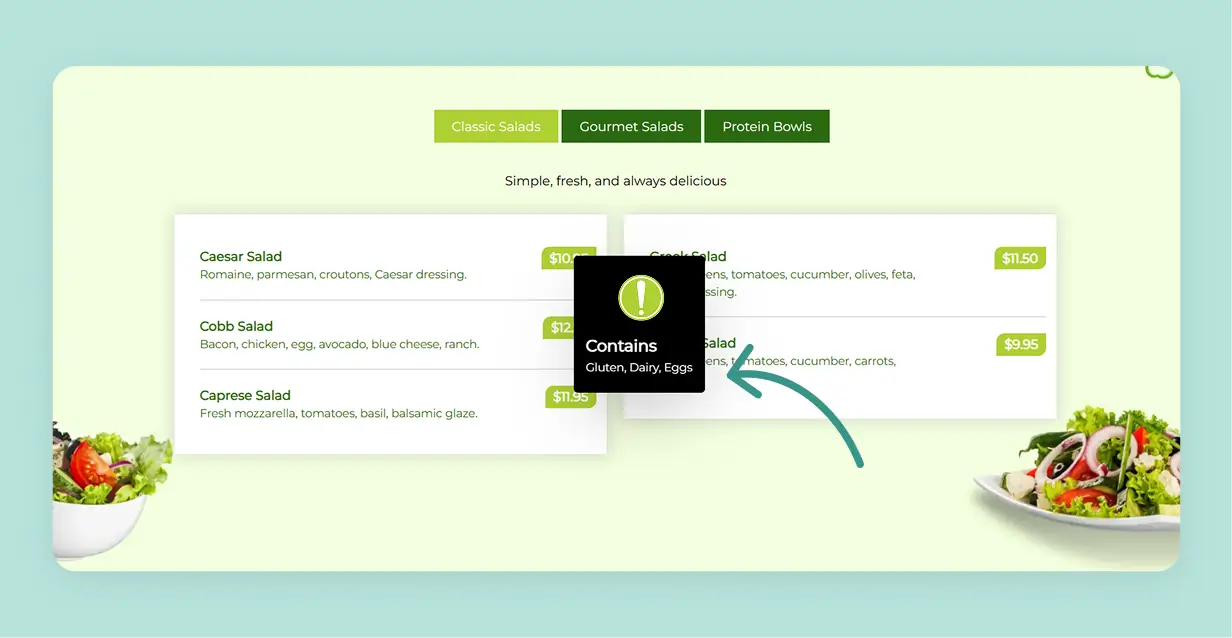
In Stylish Price List, you can add item details and extra info in a clean way (tooltips are great for “contains nuts” or “made with dairy” notes without cluttering the menu).
5) Photos where they matter, not everywhere
Photos can increase desire, but they can also slow the page and clutter the menu.
We use photos with purpose:
- Signature dishes
- Best sellers
- High-margin “stars”
- New items people don’t recognize
Menu engineering guides keep saying the same thing: what you highlight shapes what people choose. (External reference: https://www.webstaurantstore.com/article/89/menu-psychology-the-science-behind-menu-engineering.html)
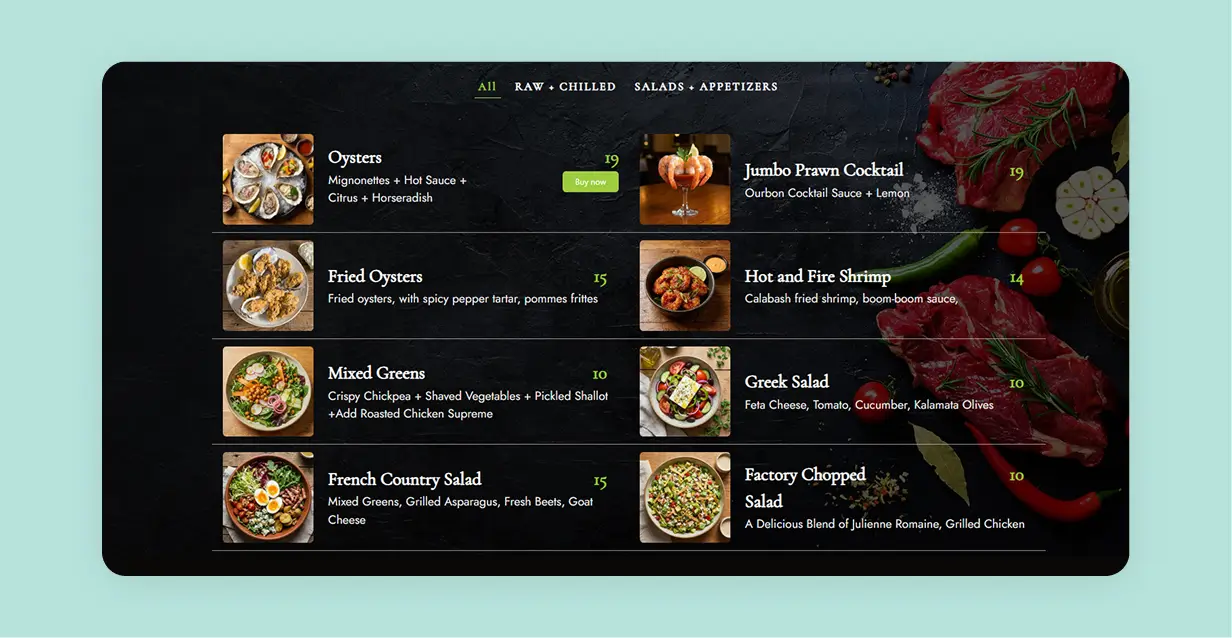
💡 Note: In Stylish Price List, image support lets you add photos to the items that matter, without forcing images on every single dish.
6) Clear pricing units (so nobody feels tricked)
This is a trust issue. “$18” is not enough if guests don’t know what they get.
Add units like each, “6 pieces,” “per person,” or “happy hour price 4–6pm.” Clear pricing reduces questions and awkward surprises.
Pricing strategy resources also stress that clean price structure helps decisions feel easier. (External reference: https://www.netsuite.com/portal/resource/articles/accounting/restaurant-menu-pricing.shtml)
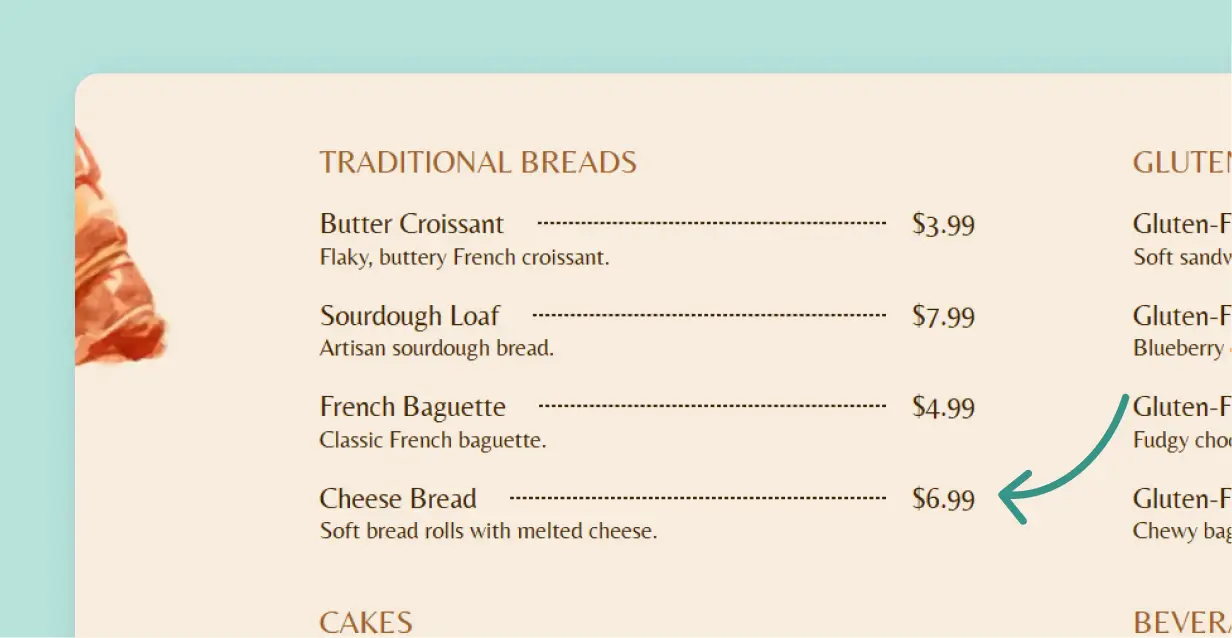
💡 Note: In Stylish Price List, you control how prices display and you can add short descriptions so the price makes sense at a glance.
Modern Digital Menus for Your Restaurant
Professional menus ready in minutes. Update dishes and prices instantly.
7) Fast load + QR code + fallback URL (the 2026 trio)
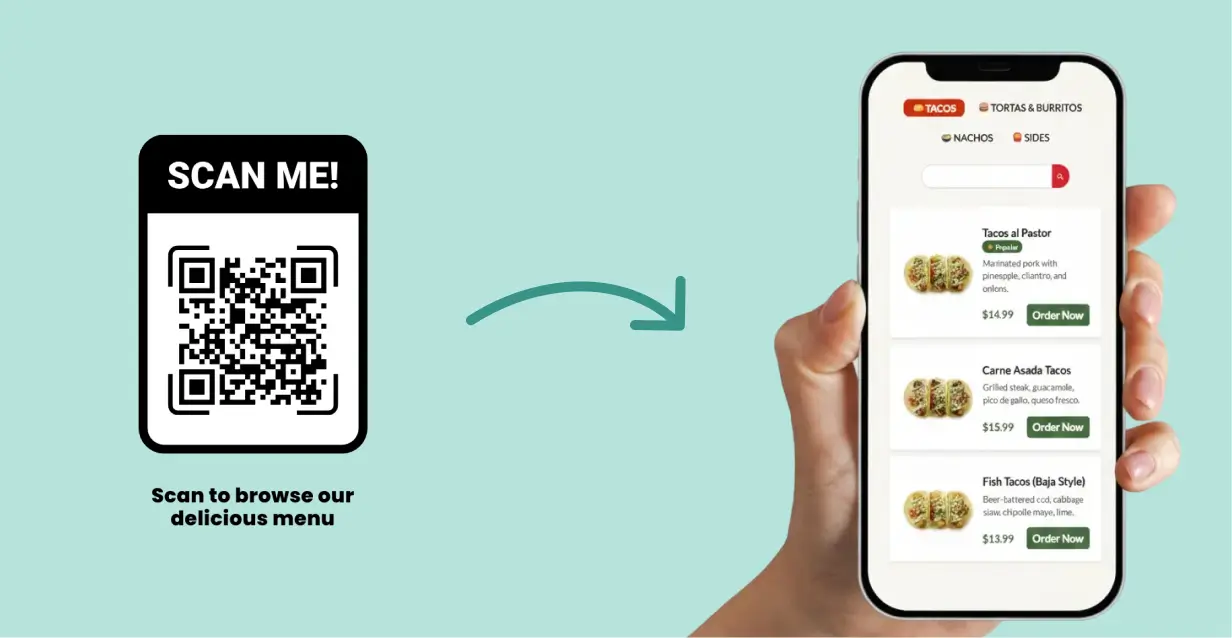
QR menus are fine when they’re optional, fast, and simple. The real problem is when QR sends guests to a slow PDF or a sketchy-looking link.
Here’s the trio we aim for:
- Menu loads fast
- QR points to the real menu page
- A readable fallback URL sits under the QR code
That fallback URL matters. If someone doesn’t want to scan, they still get the menu. That’s respectful UX.
With Stylish Price List, you can publish a clean online menu and pair it with a QR flow. If you want a step-by-step guide for restaurants, use this internal guide: QR Code Menu for Restaurants
Next step (simple and practical)
If you want a menu page you can update in minutes, we can build it with a no-code WordPress price menu plugin setup.
Start by looking at a real example: Restaurant Demo
If you’re running QR menus, use this guide: QR Code Menu for Restaurants
If you want us to review your current page, send the link here: Support