
Sticky Category Bar: A Complete Guide

Table of contents

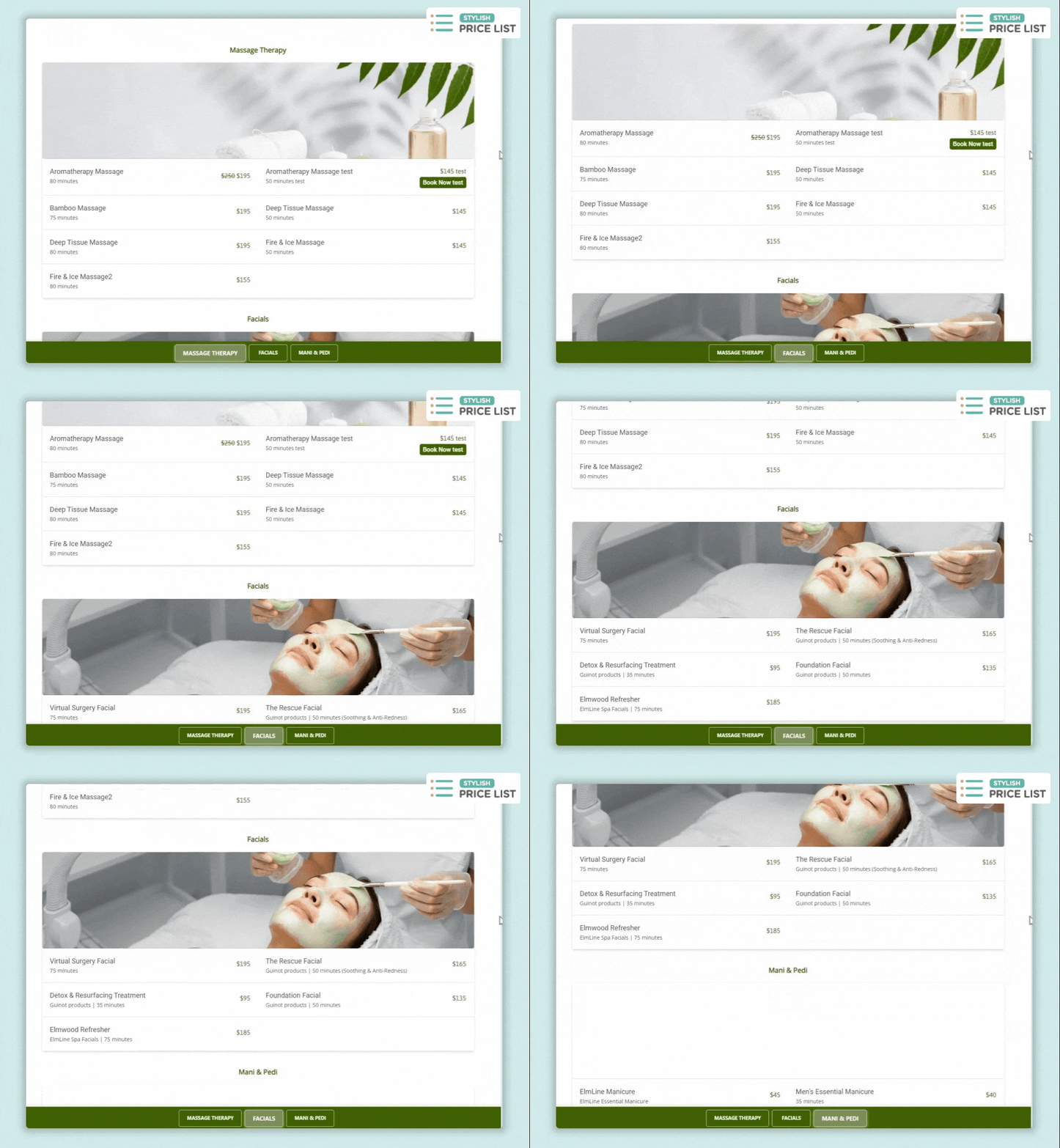
The Style #10’s Sticky Category Bar in the Stylish Price List plugin keeps category tabs fixed at the bottom as users scroll through the price list. This ensures easy navigation and constant visibility of category options.

Want to see this feature in action? Live Preview

Sticky Category Bar

Benefits, Features & Use Cases

Benefits & Features

  • Increased Accessibility: Keeps important actions always within reach.
  • Enhanced User Experience: Provides a smooth, uninterrupted browsing experience.
  • Higher Conversion Rates: Encourages user engagement by keeping call-to-action buttons visible.

Use Cases

  • E-Commerce Stores: Keeps product categories visible for easier browsing. 
  • Service Providers: Allows clients to quickly navigate between different service offerings. 
  • Restaurants: Keep the “Order Now” button in sight as users scroll through the menu.

What It Looks Like

Front-end

Sticky Category Bar Frontend

How to Activate & Use This Feature

1. Select the Appropriate Style

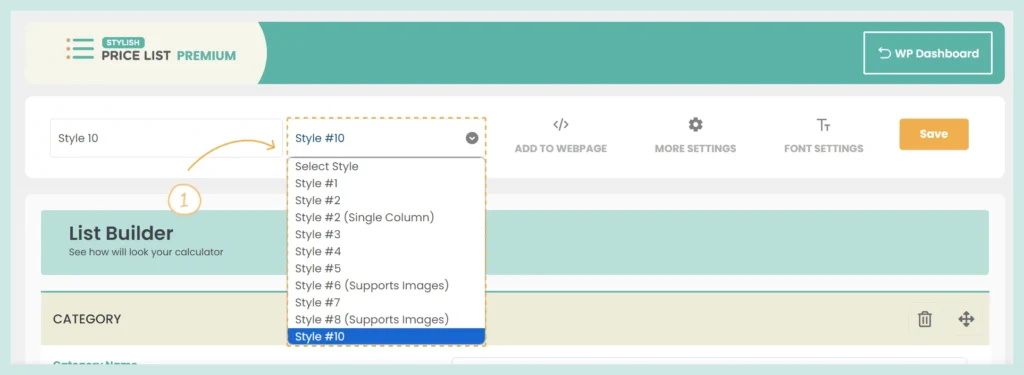
In the List Builder, choose Style #10 for your price list. This feature is only available in Style #10 currently. 

Sticky Category Bar Style

4. Save Changes

Click “Save” to apply the changes. 

Frequently Asked Questions (FAQs)

Q: Can the Sticky Category Bar be customized?

  • Currently, you can only modify the colors and text size of the Sticky Category Bar. To do this, go to “Font Settings” and adjust the values under “Category (Tabs)”. This allows you to customize the font size, font color, and font style to better match your brand’s aesthetic. 

Table of contents

Build Beautiful Price Lists with WordPress

Create professional price lists, restaurant menus, and service catalogs in minutes. Drag & drop builder, mobile-friendly, QR code ready. Trusted by spas, salons, restaurants, and 2,500+ businesses worldwide.