Buy Now Buttons: A Complete Guide

Table of contents

The Buy Now Buttons feature in the Stylish Price List plugin allows you to add direct call-to-action buttons to your price lists, enhancing user engagement and driving more conversions. 

Want to see this feature in action? Live Preview

Buy Now Buttons

Benefits, Features & Use Cases

Benefits & Features

  • Increased Sales: Direct buttons make it easy for customers to make a purchase. 
  • Improved User Experience: Simplifies the buying process with one-click actions. 
  • Customizable Text and URLs: Tailor the button text and destination URL to fit your needs.
  • Easy Integration: Simple to add and configure within your price list.  

Use Cases

  • E-Commerce Sites: Directly link products to checkout pages. 
  • Service Providers: Link services to booking or contact pages. 
  • Restaurants: Enable customers to order menu items online directly from the price list. 

What It Looks Like

Front-end

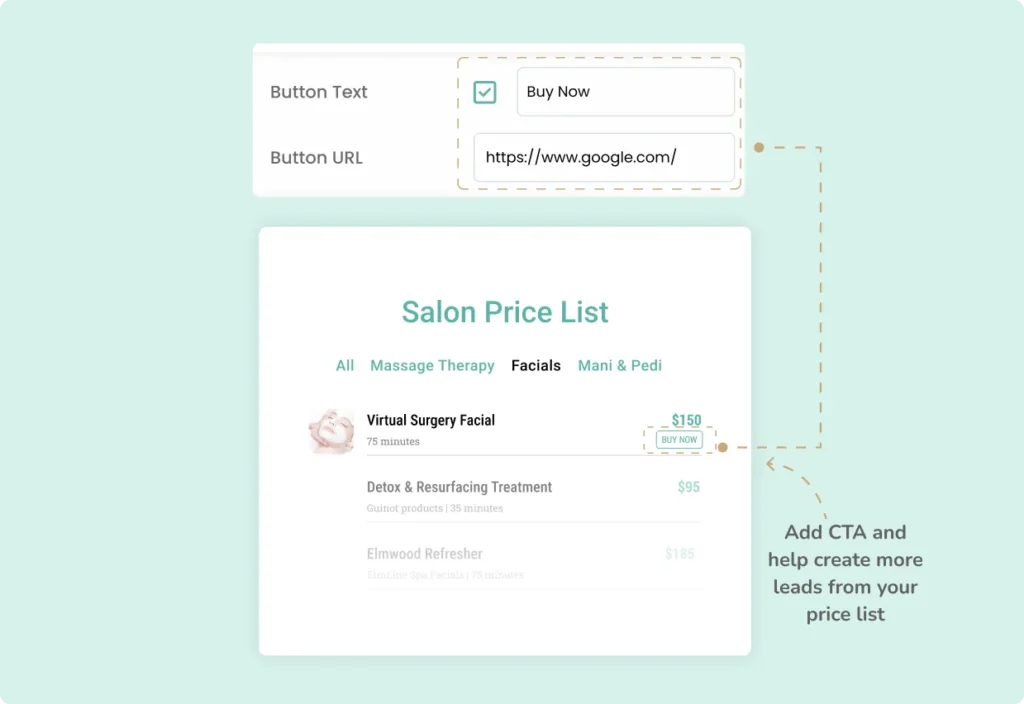
Buy Now Buttons Frontend

Back-end

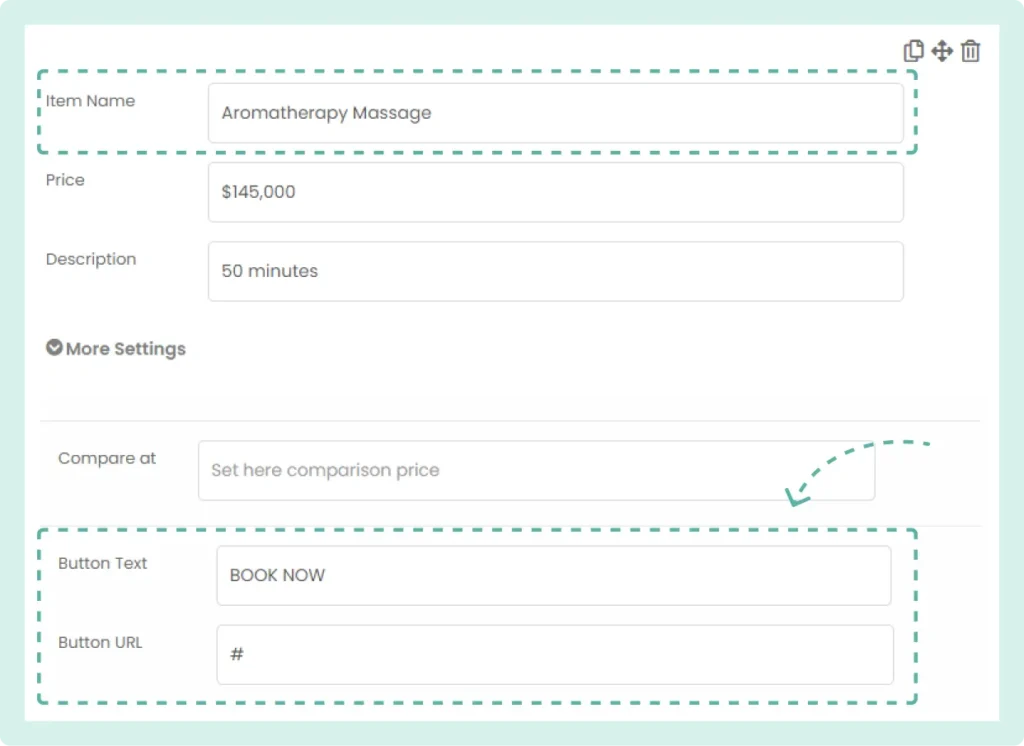
Buy Now Buttons Backend

How to Activate & Use This Feature

1. Locate the Item

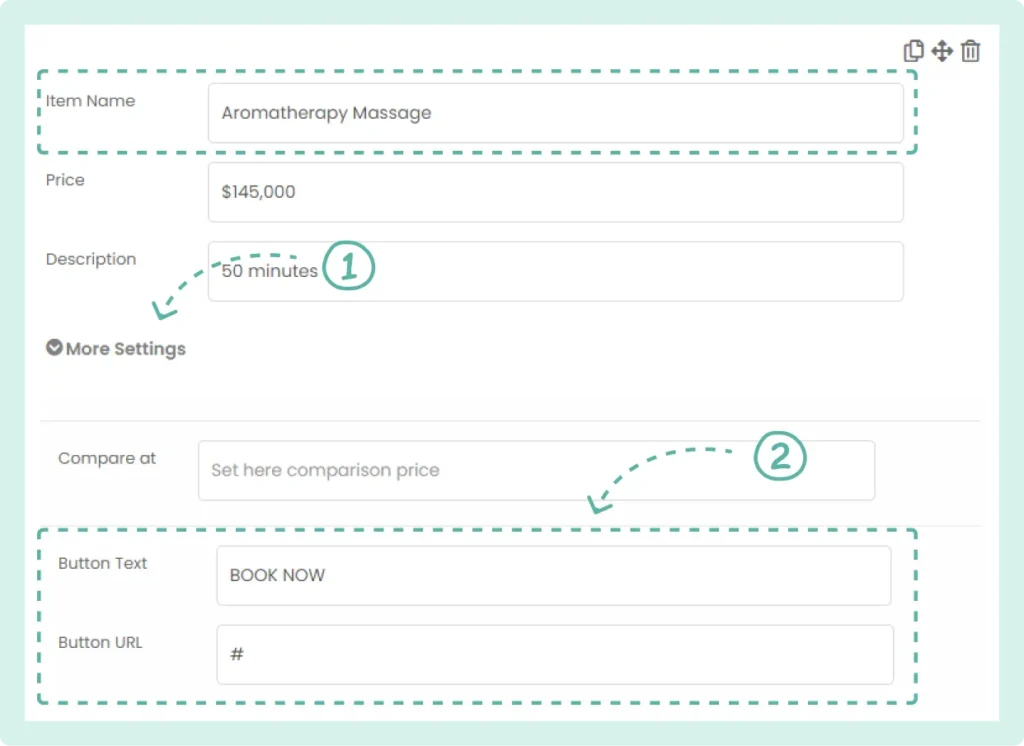
Find the item in your list where you want to add the Buy Now button and then Click on “More Settings” for the selected item.

2. Enter Button Details

Scroll down to the “Button Text” and “Button URL” fields. Enter the text for the button (e.g., “Buy Now”) and the URL where the button should link to. 

Buy Now Buttons Settings

3. Save Changes

Click “Save” to apply the changes. 

Settings & Options

Open Buy Button Links in New Tab

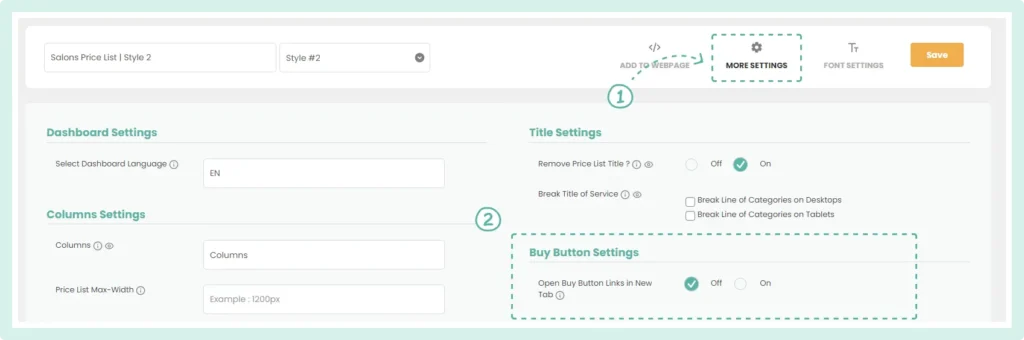
  1. In the List Builder, click on the “More Settings” tab at the top right. 
  2. Scroll down to the “Buy Button Settings” section. 
  3. Toggle “Open Buy Button Links in New Tab” to “On” or “Off” according to your preference. 
Buy Now Buttons More Settings

Frequently Asked Questions (FAQs)

Q: How can I style the Buy Now button?

  1. The color of the Buy Now button is based on the color chosen for the item prices in your list. To adjust the color, go to “Font Settings” and change the font color for prices.

Table of contents

Build Beautiful Price Lists with WordPress

Create professional price lists, restaurant menus, and service catalogs in minutes. Drag & drop builder, mobile-friendly, QR code ready. Trusted by spas, salons, restaurants, and 2,500+ businesses worldwide.